User. Add an Annotation
7. Add an Annotation
An annotation on ARCS means a relation to another resource within or outside of the ARCS project. If while viewing a resource you would like to create this relation, you can annotate the resource so others can also view the relationships this resource has.
- Select Annotate from the tray above the resource you are viewing.
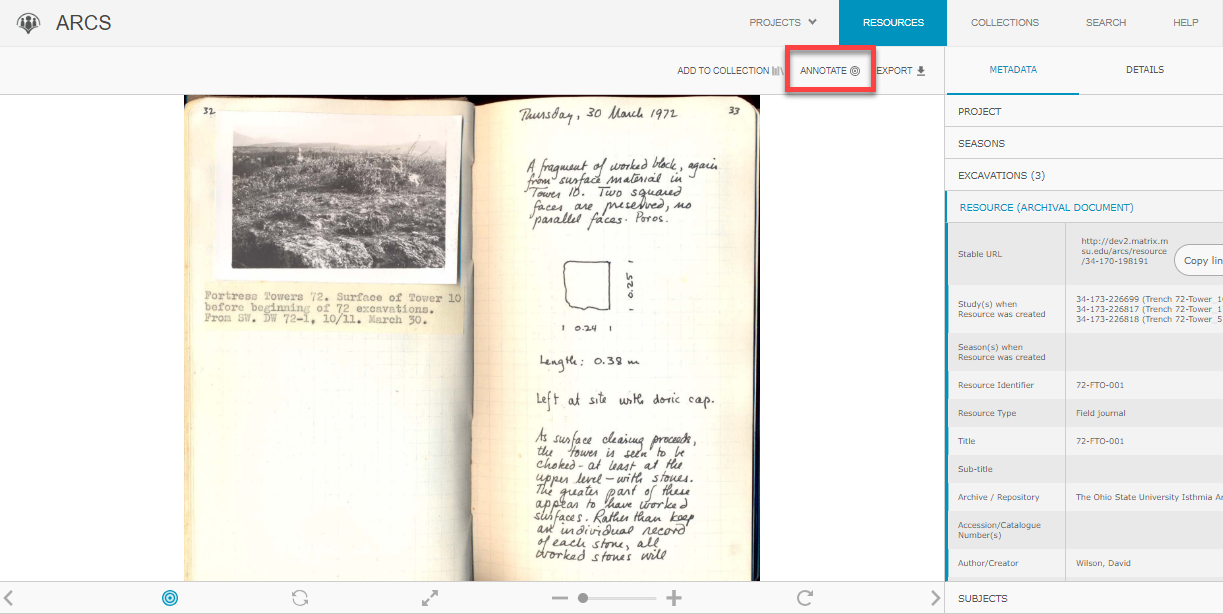
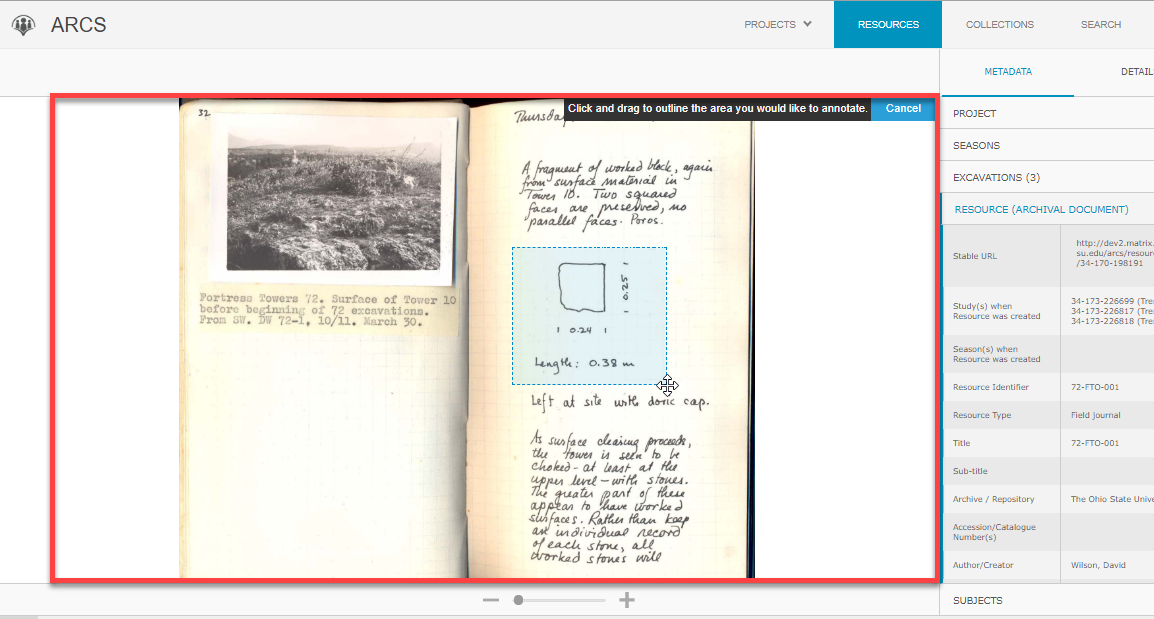
- This will change the viewer to allow you to create a box around the space you would like to annotate by clicking the resource directly and dragging your mouse.
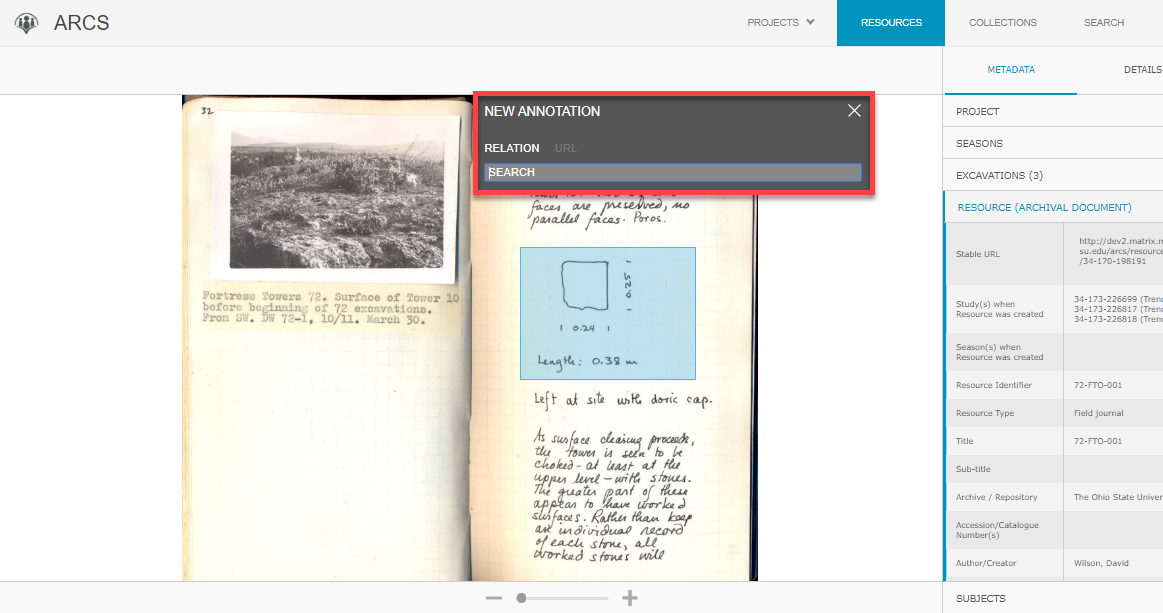
- Once you have completed the box, there will be a pop-up where you can search a relation to relate the resource to other documents on the ARCS project. This works the same as a keyword search on ARCS and will pull up resources from across the project for you to select.
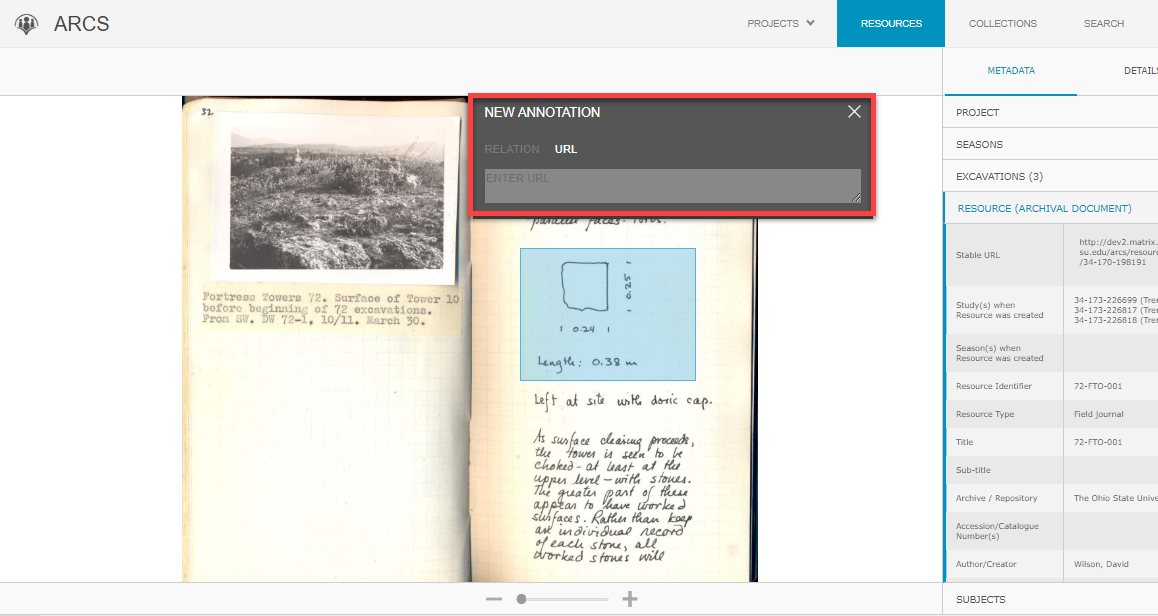
- The pop-up window also has a location where you can enter a URL. This can be the stable URL of a resource in your ARCS project or an outside URL that relates to the resource.
- Once you have selected a resource or entered a URL, click Create Annotation to save the annotation.