This is the development repository for Gemini Tales post-hackathon.
Important
Stable Contest Version: If you are a judge or looking for the original hackathon submission (frozen as of March 16, 2026), please visit the Original Gemini Tales Repository.





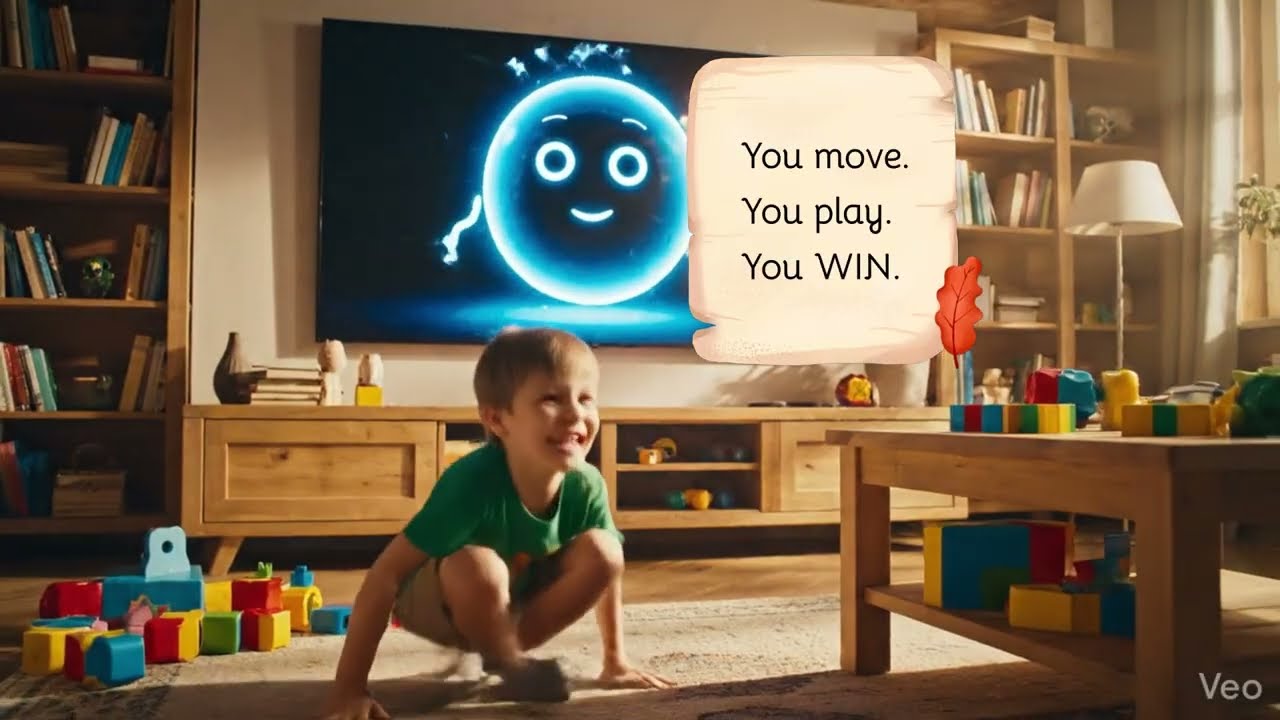
Turning screen time into active adventure — A magical AI storyteller that sees, hears, and moves with your child. The story that doesn't move until you do.
Gemini Tales is an interactive fairytale book and a Creative Storyteller ✍️ that breaks the traditional "text box" paradigm. It transforms screen time into an active adventure by creating a seamless experience where AI doesn't just process text—it sees, hears, and moves with the child.
Built with a premium React 19 + Vite frontend, it leverages the Gemini Live API for Interleaved Output — weaving real-time voice, vision, and watercolor illustrations into a single, context-aware stream that makes the magic feel alive.
- 📺 Watch in Action
- 🎭 Dual Storytelling Modes
- 🏗️ Project Structure
- 🧚 Magic Behind the Scenes
- 🕹️ Interactive Control Center
- 🛠️ Tech Stack
- 🚀 Getting Started (Run & Deploy)
- 🧪 Testing & Interactive Guide
- 👩🎓 Hackathon & Build Story
Gemini Tales - Early Submission:
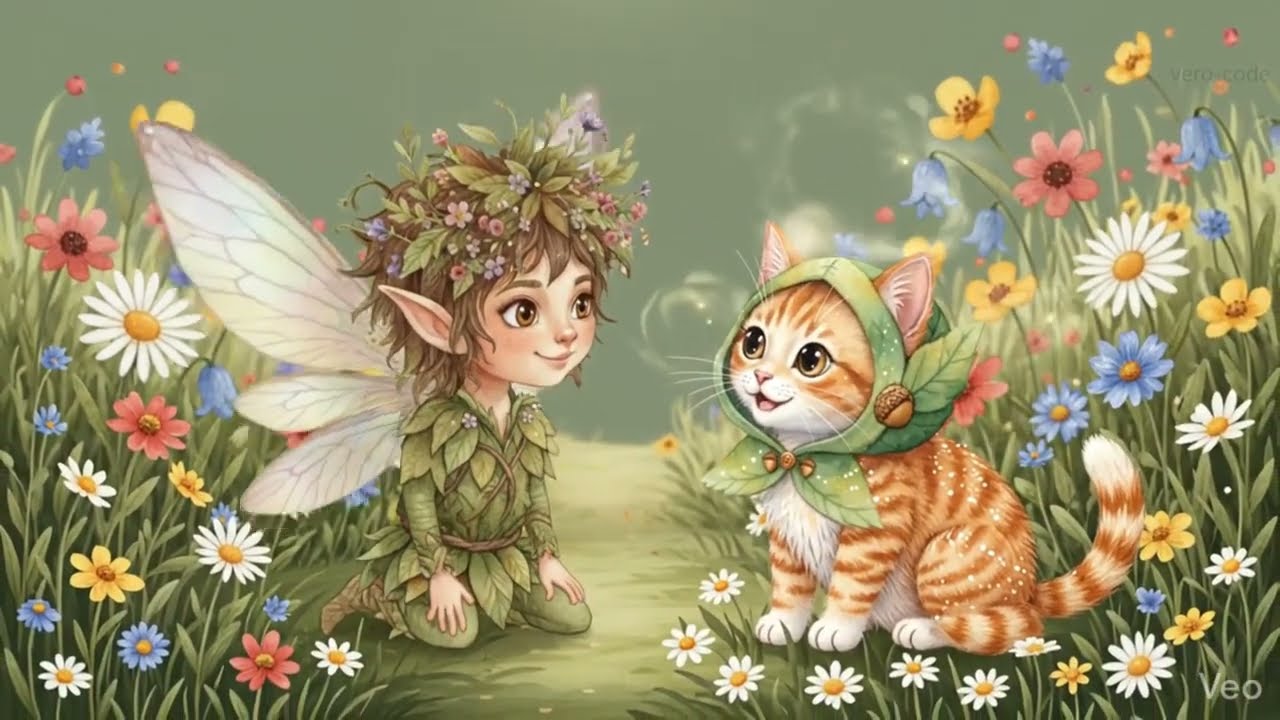
Gemini Tales - Newer Demo:
Gemini Tales offers two distinct ways to experience the magic:
| Feature | 🎙️ Live Mode (Spontaneous) | 🤖 Agent Mode (Structured) |
|---|---|---|
| Puck's Role | The Improviser: Composes and narrates purely on the fly. | The Narrator: Brings a carefully crafted script to life. |
| Preparation | No wait time. Jump straight into the action. | 30-60s "Story Crafting" context formation. |
| Backend Agents | Idle. | Active Background: Researching and weaving the plot. |
| Technology | Direct Gemini 3.1 Flash Live session. | Orchestrator (3.1 Pro) + Live Narrator. |
| Visual Flow | Interleaved watercolor illustrations. | Themed story-driven scenes. |
Note on Agent Mode: While the background agents (Researcher, Judge, Storysmith) are hard at work forming the perfect context, their direct technical scripts are kept "behind the scenes" to keep the child's interface clean and magical. Look forward to seeing their raw creative process in a future Gemini Tales Premium release!
To ensure children get the exact type of movement they need, Gemini Tales now features Exercise Focus Modes. The AI Narrator adapts its physical challenges dynamically based on your selection:

| Focus | Mode | Description |
|---|---|---|
| ✨ Sky Magic | Upper Body | Exercises focused on arms and upper body (like flying, waving wands, reaching for the stars). |
| 🌿 Earth Magic | Lower Body | Exercises focused on legs and lower body (like stomping, jumping, running, balancing). |
| ☀️ Solar Power | Full Body | Full body exercises. Energy and movement everywhere! |
Gemini Tales v2 now features a real-time Heroic Energy Tracker (Phase 1 Movement Metrics). This system bridges the gap between digital play and physical health by quantifying the child's activity:
- Visual Verification: Puck uses the camera to verify exercises.
- Heroic Energy Meter: A 0-100% progress bar that "charges up" with every jumping jack, bunny hop, or arm wave.
- Interactive "Glow": The screen flashes with golden energy and showing
+15 Energy!whenever a movement is successfully recorded. - Educator Adoption Ready: These metrics provide the raw data needed to prove the "screen time → move time" transformation.
frontend/: React 19 application using Tailwind CSS and Gemini Live SDK.backend/app/: Main Agent (Puck) — the Live Narrator that handles real-time voice, vision, and telling the story.backend/agents/: Supporting Agents — background microservices for Researcher, Judge, and Storysmith.backend/agents/run_local.ps1: Local orchestrator to wake up all supporting agents.
graph TD
    User([User]) <--> Browser["Browser (Magic Mirror UI)"]

    subgraph "Main Interaction Agent (Puck)"
        Browser <-->|WebSocket| Puck["Puck (Live Narrator)"]
        subgraph "Puck's Toolbox"
            Illustrator["Illustration Engine"]
            Awards["Achievement Manager"]
        end
        Puck <--> Illustrator
        Puck <--> Awards
    end

    subgraph "Google AI Infrastructure"
        Puck <-->|Multimodal Flow| GeminiLive[Gemini 3.1 Flash Live]
        Illustrator -->|Video Generation| Veo[Veo 3.1]
        Illustrator -->|Dynamic Rendering| FlashImage[Gemini 3.1 Flash-Image]
        Illustrator -->|Audio Composition| Lyria3[Lyria 3]
    end

    subgraph "Supporting Brain (Agent Mode)"
        Puck -->|Request Pipeline| Orchestrator[Orchestrator]
        Orchestrator <-->|A2A| Researcher[Researcher]
        Orchestrator <-->|A2A| Judge[Judge]
        Orchestrator <-->|A2A| Storysmith[Storysmith]
    end

    style Browser fill:#f9f,stroke:#333,stroke-width:2px
    style Puck fill:#f9f,stroke:#333,stroke-width:2px
    style Orchestrator fill:#ccf,stroke:#333,stroke-width:2px
    style Illustrator fill:#fff4dd,stroke:#d4a017,stroke-width:2px
📖 Deep Dive: For a detailed look at system design, data flows, and design decisions, see the Full Architecture Documentation.
When using Agent Mode, the Google Agent Development Kit provides detailed tracing of all agent invocations, timing, and dependencies:

This trace shows the complete flow: Puck → Orchestrator → Researcher → Judge → Storysmith → Content Builder, with detailed timing for each step.
- 🌿 Cinematic Animation: Puck comes to life with Veo 3.1, generating magical video previews that make the world feel alive.
- ✌️ Seamless Interaction: Real-time visual recognition and context-aware response: Stories only begin when Puck sees the "Magic Sign" (two fingers up).
- 📸 Portrait Transformation: Upload a photo to see the child transformed into a watercolor fairytale character.
- 🎨 Visual Consistency: High-quality scene illustrations are automatically generated by Gemini 2.5 Flash-Image as the story unfolds, creating a world that is always aware of the narrative state.
- 🎵 Adaptive Music (Lyria 3): Every scene in the story now has its own unique, high-fidelity 48kHz stereo background music generated by Lyria 3. The AI "looks" at the scene illustration and composes a 30-second soundtrack that perfectly matches the visual atmosphere.
- ⭐ Achievements & Badges: Complete physical challenges (like "Hop like a bunny") to unlock magical badges and track your hero's journey in real-time.
Upgraded to Gemini 3.1 Flash-Image Preview (Nano Banana 2) with three powerful improvements:
Transform any photo into a magical fairytale character while maintaining perfect recognizability.
- Smart Detail Preservation: Automatically preserves facial structure, eye color, distinctive features, hair color/style, and natural expression.
- Quality Guarantee: Person remains immediately recognizable while being stunningly illustrated.
- How It Works: Upload a photo → Gemini transforms it into a watercolor fairytale portrait with magical elements while keeping the person's key features intact.
- Technical: Multi-turn chat preserves context for consistent character refinement.
Scene illustrations now use real-world information for enhanced accuracy and realism.
- Accurate Locations: Mention specific places (e.g., "the Amazon rainforest") and Gemini automatically grounds the visual details in real geography.
- Rich Details: Accurate plants, animals, landmarks, and environmental features based on actual locations.
- Magical Realism: Maintains whimsical fairytale style while depicting real-world accuracy.
- Technical: Google Search tool integrated into scene generation chat session for live data fetching.
See your character from multiple angles while maintaining perfect consistency.
- 4 Interactive Views: Profile Right → Profile Left → From Behind → Bird's Eye (three-quarter from above).
- Perfect Consistency: Uses multi-turn chat memory to ensure the same character across all poses.
- Easy to Use: One-click buttons in the "360° View" section to rotate your character.
- Technical: Same
chat_avatarsession maintains character memory across multiple pose generations.

Model names are now externalized to environment variables for easy customization:
VITE_MODEL_ID_IMAGE=gemini-3.1-flash-image-preview
LYRIA_MODEL_ID=lyria-3-clip-preview
VIDEO_MODEL_ID=veo-3.1-generate-preview
Separate chat sessions optimize image quality:
- Avatar Session (1:1, 1K resolution): Character portraits and poses.
- Scene Session (16:9, 2K resolution, with Google Search): Story illustrations.
The "Magic Mirror" cockpit provides full transparency and control over the AI experience:
- 🔌 API Lifecycle Management: One-click connection to the Gemini Pulse with real-time status tracking.
- 🎙️ Multimodal Inputs: Live switching between different microphones and cameras to find the best angle for the Magic Sign.
- 💬 Conversation Hub: A dual-stream chat system that combines real-time AI transcriptions with manual text input.
- 🔍 Debug Console: A dedicated "Technician's View" showing the architectural heartbeat, device sync events, and ADK protocol logs.
- Frontend: React 19, TypeScript, Tailwind CSS.
- AI Models:
- Gemini 3.1 Flash Live Preview (Real-time Audio/Vision - Released March 26, 2026)
- Gemini 3.1 Pro & Flash-Lite (Agentic Reasoning)
- Gemini 3.1 Flash-Image Preview (Nano Banana 2) (High-fidelity avatars & scenes with Google Search grounding)
- Lyria 3 (Adaptive 48kHz stereo background music generation)
- Veo 3.1 (Cinematic Video Generation)
- Backend: FastAPI, Google ADK, WebSockets.
- Hosting: Google Cloud Run, Cloud Artifact Registry.
- Image Processing: PIL (Python Imaging Library) for avatar manipulation.
- Google Cloud Services: Vertex AI, Google AI API, Generative AI Client Library.
- Python 3.10+ and
uvinstalled. - Node.js 18+ and
npm. - Google Cloud Project with Gemini API access.
To run the full experience locally, start these components in separate terminals:
A. Start ADK Agents (The Brain)
cd backend/agents
.\run_local.ps1
This starts the sub-agents on ports 8001–8004 required for Agent Mode.
B. Start Main Agent (Puck)
cd backend
uv sync
uv run python app/main.py
Starts Puck, the Live Narrator, ready to see and hear you (Port 8000).
C. Start Frontend UI
cd frontend
npm install
npm run devTo ensure this project is fully reproducible, I've included automation scripts that handle the complex deployment of my multi-agent architecture to Google Cloud Run.
- Google Cloud CLI installed and authenticated (
gcloud auth login). - An active Google Cloud Project with Billing enabled.
- Your
.envfile inbackend/app/should contain yourGOOGLE_CLOUD_PROJECTandGOOGLE_CLOUD_LOCATION.
These agents (Researcher, Judge, Storysmith, Orchestrator) provide the agentic reasoning for the story mode.
cd backend/agents
.\deploy.ps1
This script automatically bundles shared logic, configures security, and deploys 4 microservices to Cloud Run.
This deploys the central "Magic Mirror" interface and the Live Narrator.
# Run from the repository root
.\deploy_app.ps1
This script handles the dual-stage build: compiling the React 19 frontend and wrapping it with the FastAPI/Puck bridge into a single production-ready container.
💡 Pro-Tip: After deployment, you can manage all AI parameters (Model IDs, API Keys) directly through the Cloud Run environment variables without needing to re-deploy.
Follow these steps to ensure a magical and stable session:
- Customize Puck: Enter a description for your character or upload a photo to create a personalized fairytale avatar.
- 📸 Photo Upload: Transform any photo into a magical fairytale character using High-Fidelity detail preservation — the person remains instantly recognizable while becoming beautifully illustrated.
- Bring Him to Life: Once Puck is generated, click the Animate button to see him start moving! (Powered by Veo 3.1).
- Action Poses: Generate Puck performing actions ("🪄 Cast Magic", "🏃 Run in Field") to show him in dynamic moments.
- 360° View: Rotate your character to see him from different angles:
- 👈 Profile Right — View from the side looking right
- 👉 Profile Left — View from the side looking left
- 🔄 From Behind — View from behind looking over shoulder
- ⬆️ Bird's Eye — Three-quarter view from above
- Each pose maintains perfect character consistency using multi-turn chat memory.
- Choose Your Journey: Select Live Mode for spontaneous play or Agent Mode for a structured, multi-agent story.
- Live Mode: Click Connect API to establish a direct link with Gemini.
- Agent Mode: Click 🚀 Generate Story with Agents to begin the story crafting process.
- Listen & Act: Follow the spoken instructions from Puck.
- Watch the Magic: As you journey through the tale, Puck will automatically generate beautiful illustrations for every new scene using Google Search grounding — real locations and elements are accurately depicted while maintaining a whimsical fairytale style.
- Earn Badges: Successfully complete physical tasks to unlock Achievements and see your badge collection grow!
- Voice Response: Select your Microphone and click Start Audio to talk to the mirror.
- Vision Recognition: Select your Camera and click Start Video to show your face and the "Magic Sign".
- Chat Fallback: If you're in a quiet place, you can also type messages directly into the Chat Hub.
- No Sound/Image?: Ensure the correct device is selected in the Microphone and Camera dropdowns before clicking "Start".
- Connection: Check the Debug Console to verify that the WebSocket status is "Connected".
Created for the Gemini Live Agent Challenge.
Check out the full story of how I built an "AI Nanny" to fight the sedentary lifestyle using Google AI and Google Cloud:
👉 Read the Build Story on Dev.to
MIT — see LICENSE.
Created with ❤️ for the next generation of explorers by Veronika Kashtanova