

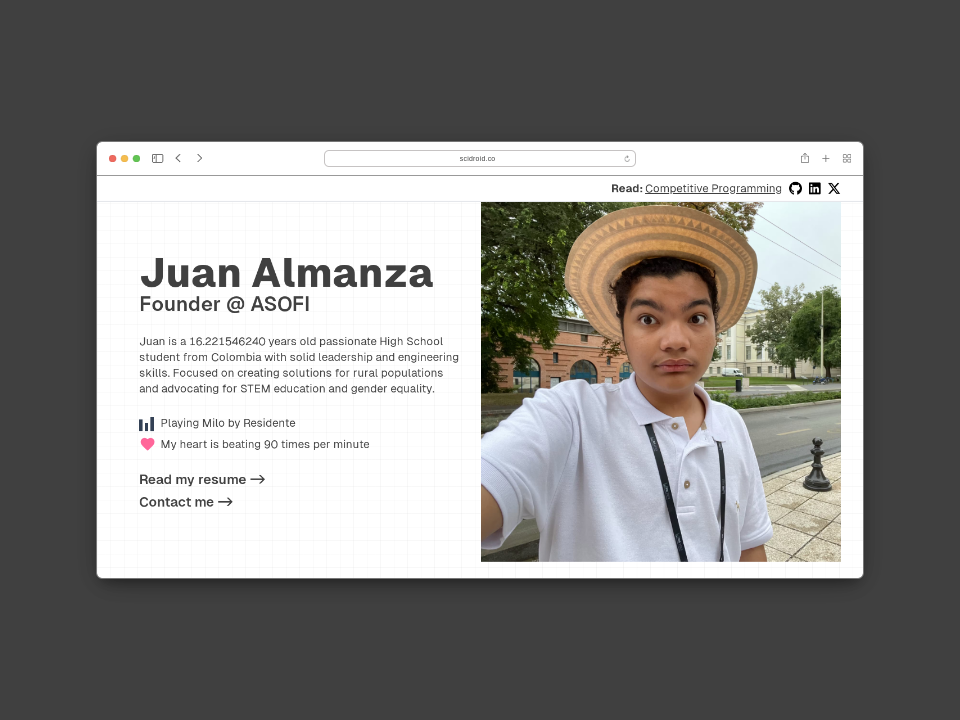
Try the live version in scidroid.co
This is the source code for my personal website. It is built using Next.js, Tailwind CSS, and TypeScript.
Also, I use Vercel to deploy the website and ContentLayer to manage the content and Vercel KV as database.
- About me
- Projects
- Blog
- Contact
- Now Playing
- Health Data
- Open Graph Image generation
- Analytics
- Sitemap
- Terminal easter egg
First do you need to add the environment variables. You can do this by creating a .env.local file in the root directory. You can use the .env.example file as a template.
You need 9 environment variables:
RESEND_API_KEYThis is the API key for Resend service that allow me to send emails.KV_URL,KV_REST_API_URL,KV_REST_API_TOKENandKV_REST_API_READ_ONLY_TOKENis the API key for Vercel KV database.SPOTIFY_CLIENT_ID,SPOTIFY_CLIENT_SECRET, andSPOTIFY_REFRESH_TOKENis the ids of your Spotify app. This is needed for the Now Playing section.PASSWORDis the password for the health endpoint, needed to secure the/api/healthendpoint.
Then, install the dependencies:
bun iFinally, run the development server:
bun devOpen http://localhost:3000 with your browser to see the result.
You can start editing the page by modifying app/page.tsx. The page auto-updates as you edit the file.
To build the website for production, run:
bun run buildThen, to start the production server, run:
bun run startThis repository has a deployment configuration for Vercel. So to deploy the website, just push the changes to the main branch.
But, if you want to deploy the website in another platform, you need to add the environment variables to the production server and just run the bun run build and bun run start commands.
If you want to deploy it in Vercel, you can just run vercel in the root directory and follow the instructions.
This project is licensed under the GNU AGPLv3 License - see the LICENSE file for details.
If you want to contact me you can reach me at hi@scidroid.co.