
Browse, plot, and compare MITgcm MDS (.data/.meta) binary output. Use the CLI on a cluster or the optional GUI on your laptop or PC.


Site: rhettadam.github.io/mdsview
MITgcm (MIT General Circulation Model) is a widely used ocean and climate model. A typical run writes out many 3-D fields (temperature, salinity, sea surface height, velocities) at regular time steps, often from MPI jobs on a cluster. The default binary format is MDS: each field is a .meta file (dimensions, precision, iteration) plus a .data file (raw array, usually big-endian float32). Tiled MPI output adds more filename suffixes but the same basic layout.
After a run you usually have a directory with hundreds or thousands of these file pairs and no built-in viewer. MITgcm ships MITgcmutils for reading and writing MDS in Python, but you still need scripts to list what's there, pick an iteration and level, plot a slice, subtract two snapshots, or export subsets. mdsview fills that gap: catalog a run folder without loading .data, plot 2-D slices with grid coordinates, diff two snapshots (including cross-run), export to NetCDF, extract subsets, build time series, and save figures from the terminal or a local GUI.
For huge LLC runs or lazy xarray loading, use xmitgcm. mdsview targets quick inspection of run directories.
From PyPI:
pip install mdsview              # CLI (headless)
pip install "mdsview[gui]"       # + desktop GUI (CustomTkinter)
From source:
git clone https://github.com/rhettadam/mdsview.git
cd mdsview
pip install -e .
pip install -e ".[gui]"
On Windows, if mdsview is not on PATH:
python -m mdsview.cli info -d C:\path\to\runRequires Python 3.9+, NumPy, matplotlib, MITgcmutils, cmocean, Pillow, and netCDF4 (for export). GUI needs CustomTkinter.
mdsview info -d /path/to/run
mdsview plot -v T -i 480 -l 4 -d /path/to/run
mdsview plot -v T -i 480 -l 4 --save-figure t.png --no-show -d /path/to/run   # headless
mdsview gui -d /path/to/run
-d FOLDER is the run directory (default: .). -v NAME is the field prefix (T, S, Eta, …). Most commands accept --json. Run mdsview COMMAND --help for options.
Synthetic run directories for testing without MITgcm:
mdsview generate-sample -o sample_data --preset demoSee sample_data/SAMPLE_README.txt after generation. Other presets and options: mdsview generate-sample --help.
List variables or show metadata. Reads .meta only, safe with thousands of snapshots.
mdsview info
mdsview info -v T
mdsview info -v T --show-meta
mdsview info -v T --jsonOne 2-D slice. With --level, reads a single horizontal slab, not the full volume.
mdsview plot -v T -i 480 -l 4
mdsview plot -v Eta -i last
mdsview plot -v T -i 0 -l 10 --cmap haline --vmin 0 --vmax 30 --save-figure out.png --no-show
mdsview plot -v T -i 0 --no-coords # index axes, not XC/YCfield(LATER) − field(EARLIER). Default is one slice; --save-field without --level loads full volumes.
-d is the later run (minuend). --dir-b / --earlier-dir is the earlier run when comparing two model directories at the same (or different) iterations.
mdsview diff -v T --later 2520 --earlier 0 -l 20
mdsview diff -v T --later 2520 --earlier 0 -l 20 --plot --save-figure diff.png --no-show
mdsview diff -v T --later 2520 --earlier 0 --save-field T_diff
mdsview diff -v T 480 0 -l 4          # positional iters also work
mdsview diff -v T --later 2520 --earlier 2520 -l 20 -d /scratch/warm --dir-b /scratch/refWrite variables to NetCDF with CF-style time, depth (when present), and horizontal y/x coordinates (or lat/lon for geographic degree grids). Optional 2-D xc/yc arrays are included when grid files exist. All variables in one file must share the same MDS shape (e.g. T and S together, not T and Eta).
mdsview export -v T,S -o run.nc --iterations all
mdsview export -v T -o surface.nc --iterations all --levels 0
mdsview export -v T -o patch.nc --iterations last --region 10,50,20,40
Shared selection flags: --iterations (all, last, 0,360, 0:1200:120), --levels, --region I0,I1,J0,J1, --rec, --json.
Copy snapshots to a new folder as MDS files. Reads one iteration at a time.
mdsview extract -v T -o subset/ --iterations 0:1200:120 --levels 0:10
mdsview extract -v T -o patch/ --iterations all --region 100,200,50,150
mdsview extract -v Eta -o eta_only/ --iterations last
Uses the same --iterations, --levels, and --region flags as export.
Build a CSV or JSON time series without loading full volumes. A line plot opens by default.
mdsview timeseries -v T -l 4 --iterations all --at 40,30 -o point.csv
mdsview timeseries -v T -l 10 --iterations all --box 0,80,0,60 -o box.csv
mdsview timeseries -v Eta --iterations all --save-figure ssh.png --no-show
mdsview timeseries -v T -l 0 --iterations 0:480:120 --json --no-plot
Default reduction is a domain mean over the chosen level. For 3-D fields without -l, mid-depth is used. Use --at I,J for a point, --box I0,I1,J0,J1 for a box mean, --save-figure / --no-show for headless plots, and --no-plot for data only.
Stack iterations into one array. Loads every listed iteration; use for small tests only.
mdsview combine -v T --iterations 0,360,720 --save-field T_stackCreate synthetic .data/.meta for tests. See Sample data.
Used by plot and diff:
-l,--level K: vertical index (0 = top)--cmap: defaultthermal(plot) orbalance(diff); matplotlib + cmocean names--vmin,--vmax--save-figure FILE,--no-show
Diff plots use a symmetric diverging scale. Full list: mdsview/colormaps.py.
pip install "mdsview[gui]"
mdsview gui -d /path/to/run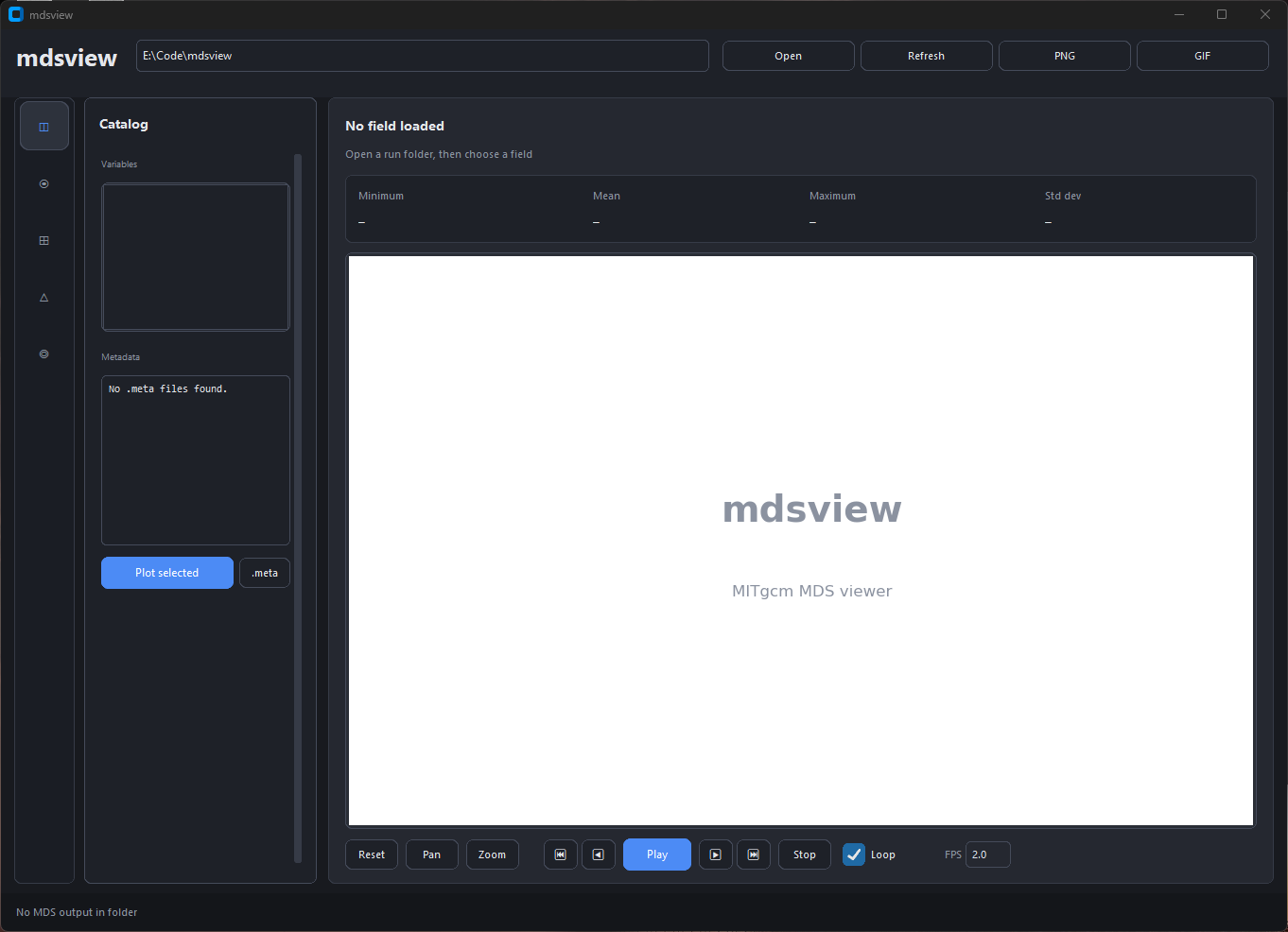
Run directory at the top. Left rail switches Catalog, Field, and Grid panels; controls sit beside the plot. Stats (min, mean, max, std) update with each field.
Large runs (many iterations or variables) are indexed in the background: the catalog lists snapshot counts without reading every .meta file up front. Use Field to plot one 2-D slice at a time; use mdsview diff on the CLI for snapshot differences.
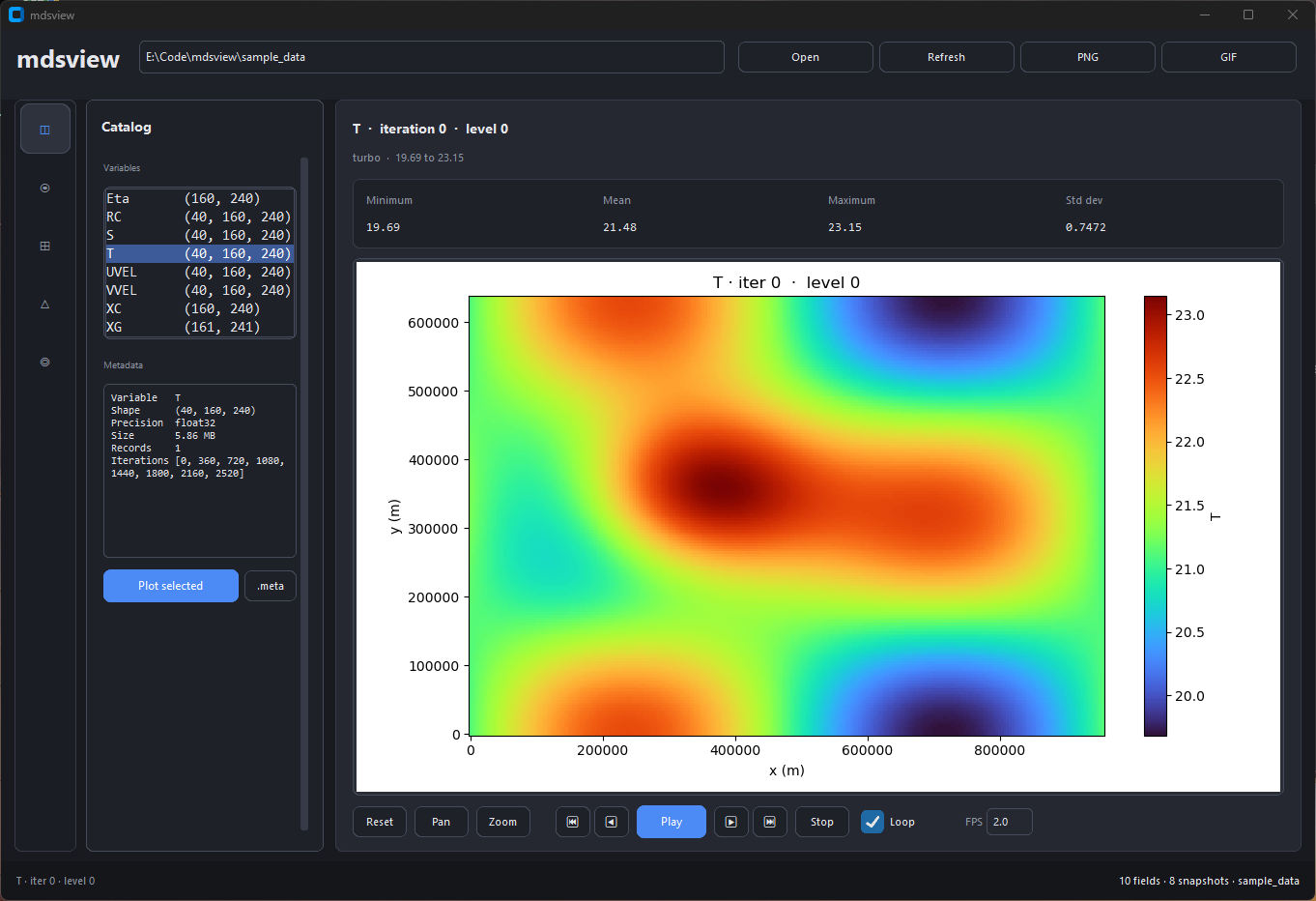
Lists every variable in the run. Selecting one loads metadata below; double-click or Plot selected opens it in Field.
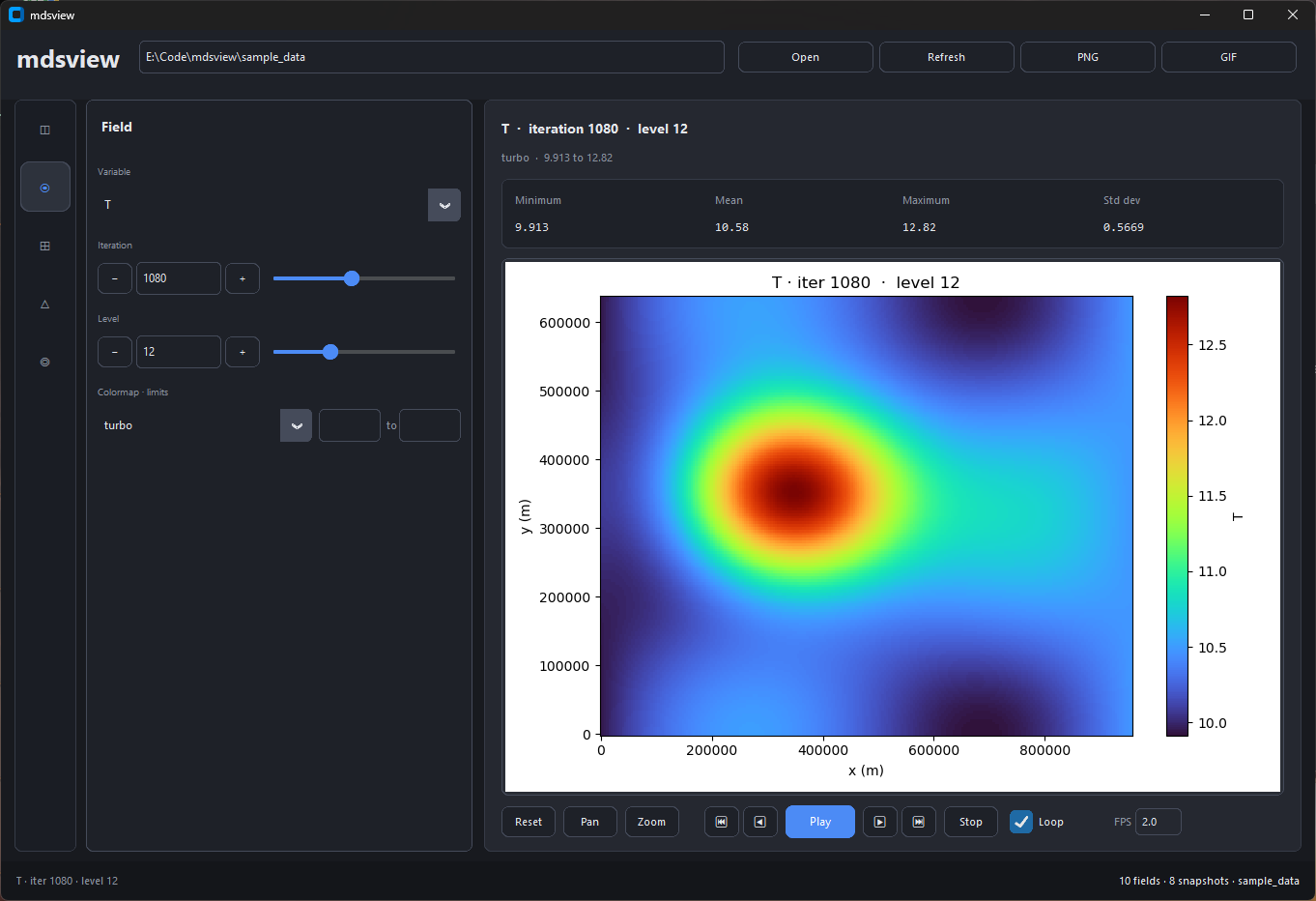
Pick variable, iteration, and level. Sliders auto-refresh the plot. Footer controls step through time or export a GIF.
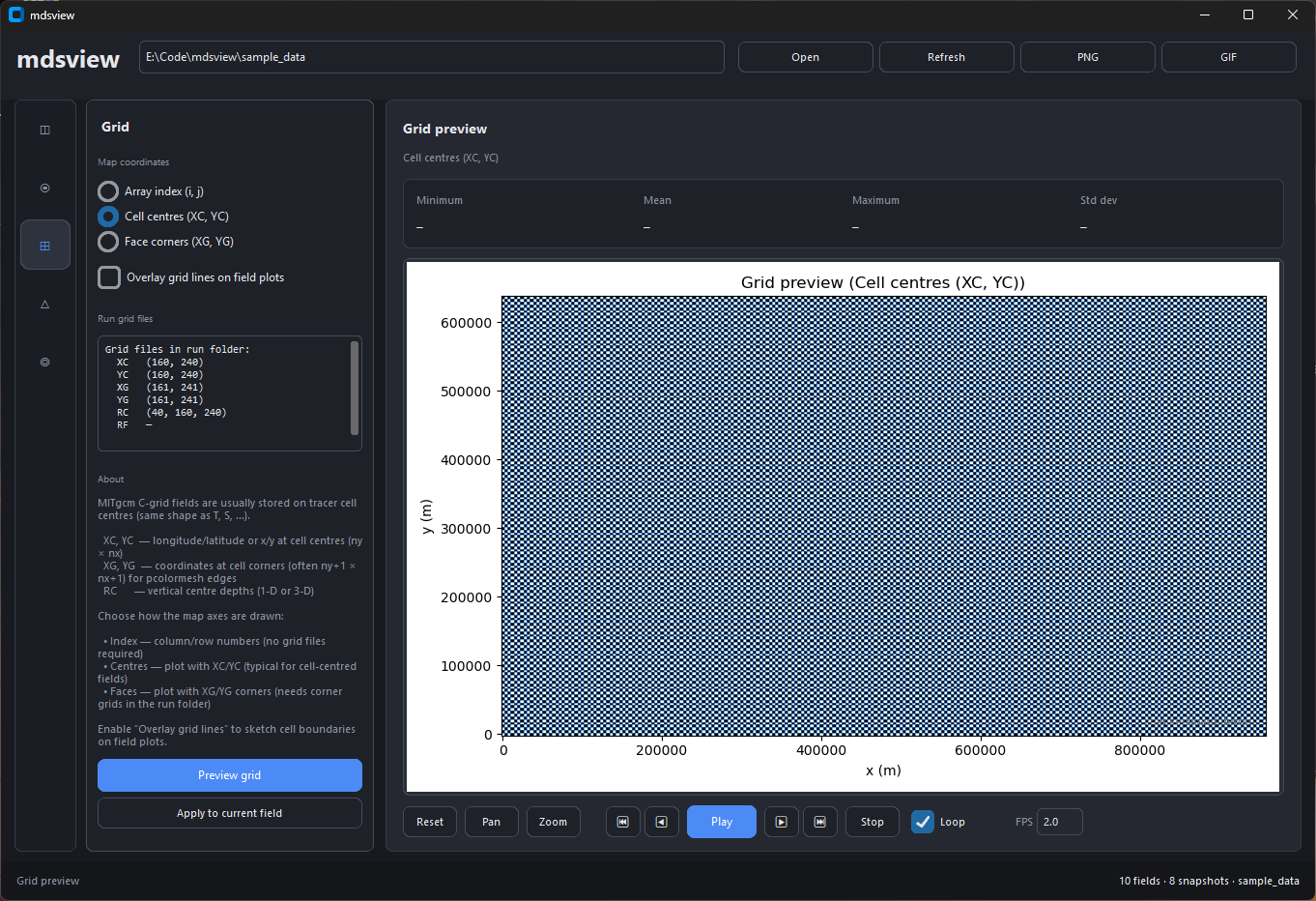
Preview XC/YC (or other grid files) and optionally overlay grid lines on field plots.
Top bar: Open (Ctrl+O), Refresh (Ctrl+R), PNG (Ctrl+S), GIF (export dialog). Matplotlib pan/zoom sits under the plot. For remote sessions (X2GO, SSH with X forwarding), prefer the CLI; the GUI is tuned for local use.
CLI uses the Agg backend by default (no display). Use --save-figure and --no-show:
mdsview info -d /scratch/run001
mdsview plot -v T -i last -l 20 -d /scratch/run001 --save-figure t.png --no-show
mdsview diff -v T --later 2520 --earlier 0 -l 20 -d /scratch/run001 --json
mdsview export -v T,S -o run.nc -d /scratch/run001 --iterations all --levels 0
mdsview timeseries -v Eta -d /scratch/run001 --iterations all -o ssh.csv --no-plot
Exit codes: 0 ok, 1 error, 2 bad args, 130 interrupt. Errors go to stderr. Tracebacks: MDSVIEW_DEBUG=1.
info:.metafilenames onlyplot/diffwith-l: one slab per snapshotexport,extract,timeseries: one iteration (or slab) at a timediff --save-field(no level): full volume;combine: all listed iters in RAM
from mdsview import io, ops, plotting

slab = io.read_level_slice("/path/to/run", "T", 480, level=4)
diff2d, meta = ops.diff_slice("/path/to/run", "T", later=480, earlier=0, level=4)
diff2d, meta = ops.diff_slice("/warm", "T", 2520, 2520, level=20, data_dir_b="/ref")
plotting.plot_field("/path/to/run", "T", 480, level=4, save="t.png", show=False)- Standard MDS only, not
pkg/mnctiles (usegluemncfirst) - No 3-D volume rendering; LLC unfolding is partial (needs XC/YC in the run dir)
MIT License. See LICENSE. Copyright (c) 2026 Rhett R. Adam.