A lightweight terminal-based AI coding assistant.
nanocode is used to help building itself, including features such as @file path completion.
Pre-1.0 note: nanocode is still evolving quickly. Functionality, commands, configuration, and behavior may change incompatibly before a 1.0 release.
 |
 |
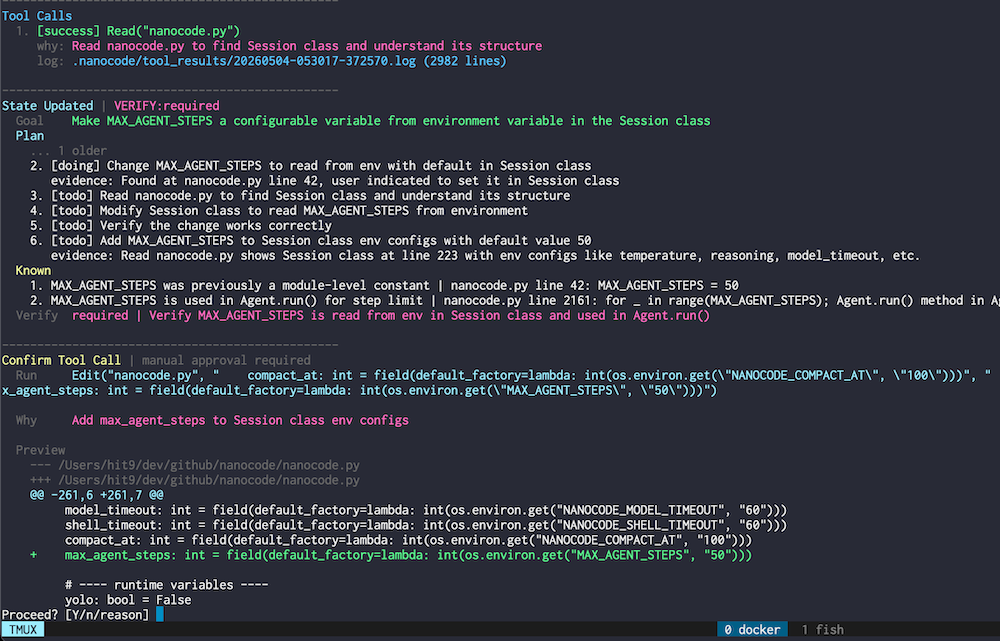
- Constrained Output: Force model replies into auditable action frames.
- Verified Edits: Reject stale range edits before they touch files.
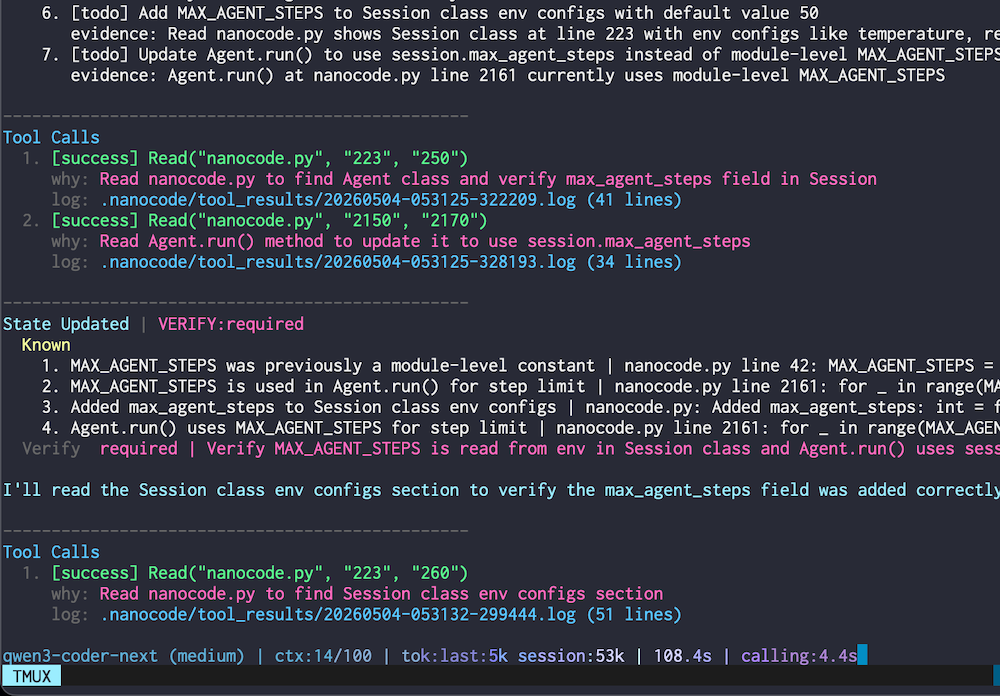
- Autonomous Loop: Chain reading, editing, running, and verification.
- Live Telemetry: Stream tool intent, token use, and status.
uv tool install nanocode-cliUpgrade an existing install:
uv tool upgrade nanocode-cliFor local development:
uv sync --extra dev
uv run nanocodeStart nanocode:
nanocodeShow available commands:
/help
Ask a source-aware question about nanocode itself:
/help how does compact work?
CLI arguments:
--yolo: Skip tool execution confirmations.--plan: Plan changes without editing files or running commands.--debug: Write request prompts to the current session directory under~/.nanocode/sessions/.--config <path>: Path to config file (default:~/.nanocode/config.toml).--init-config: Create a default config file.-v,--version: Show program version.
nanocode does NOT provide sandbox protection. It can run shell commands and edit files in the environment where you start it.
If you do not fully trust the model, tools, prompts, or workspace, run nanocode inside your own sandbox, container, VM, or other isolated environment.
USE AT YOUR OWN RISK.
- File:
Read,LineCount,ListDir,Search. - Edit:
Edit,ReplaceRange,ApplyPatch. - Shell:
Bash,Git. - Memory:
Recallreads stored tool results by key.
- Info:
/help [question],/status,/rules,/knowledge [update],/compact. - Config:
/config,/set <key> <value>,/model [model_name],/reason,/provider [name],/plan [on|off|question],/yolo. - Maintenance:
/clean. - Exit:
/exit,/quit.
/model selects from the active provider's available_models when configured. /model <model_name> sets a model directly. Changing model also opens a reasoning effort selector: choose off to disable reasoning, or choose an effort to enable reasoning and set it. Use /reason to change reasoning without changing model.
Run nanocode --init-config to create ~/.nanocode/config.toml.
- Provider config:
[provider] active = "<name>"plus[provider.<name>]url, key, model,available_models, and model options. - Path config:
[paths] data_dir = "~/.nanocode". - Runtime config:
[runtime]. - Session data: debug prompts and tool-result logs are stored under
~/.nanocode/sessions/<session_id>/. - Tool-result logs from inactive sessions are auto-cleaned after
runtime.auto_clean_recent(default3d; useoffto disable)./cleanremoves inactive session logs immediately. - Project data: user rules are stored under
~/.nanocode/projects/<project_key>/.
- Status bar: active model, reasoning, active yolo/plan modes, conversation context, current-turn tool calls, tokens, elapsed time, and active model-call time.
/status: active provider, model state, session id, runtime state, conversation/tool counters, per-model calls/tokens, task, goal, and verification.