
An opinionated take on file transfer.


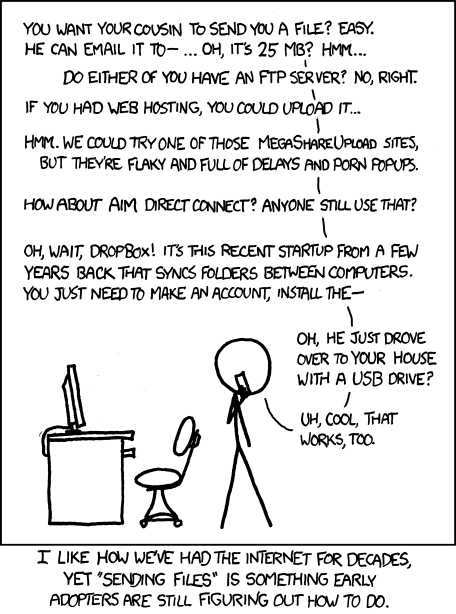
Altair-Vega is a peer-to-peer transfer tool for moving messages, files, and synced folder state across isolated networks that only share common Internet access. The goal is simple: get files from where they are to where they should be, with minimal ceremony around accounts, hosting, and setup.
It uses iroh for direct peer connectivity and short human-typable codes for fast manual pairing without persistent user accounts. The native CLI and browser app are both first-class peers, while the rendezvous service is limited to discovery/signaling and does not store transferred content.
| Browser peer workspace | Disposable CLI session |
|---|---|
 |
 |
Try the hosted web app.
The hosted web app and rendezvous endpoint are provided for free by the author for demo and personal-use convenience. They do not come with an availability guarantee; self-host the static frontend and Worker rendezvous service for production or dependency-sensitive use.
Run the latest release through the disposable launcher:
curl -fsSL https://raw.githubusercontent.com/EL-File4138/Altair-Vega/main/scripts/startup.sh | sh -s -- helpThe launcher detects Linux/macOS and CPU architecture, downloads the matching latest release binary into a temporary runtime workspace, runs it, and cleans up when it exits.
Send a text message from one machine:
curl -fsSL https://raw.githubusercontent.com/EL-File4138/Altair-Vega/main/scripts/startup.sh | sh -s -- send text "hello from Altair-Vega"Receive from another machine with the printed code:
curl -fsSL https://raw.githubusercontent.com/EL-File4138/Altair-Vega/main/scripts/startup.sh | sh -s -- receive text <CODE>Expected result: the receiver prints the transferred message after pairing through same-LAN discovery or short-code rendezvous fallback.
Cross-platform launcher forms:
- Linux/macOS:
curl -fsSL https://raw.githubusercontent.com/EL-File4138/Altair-Vega/main/scripts/startup.sh | sh -s -- <altair-vega args> - Windows PowerShell:
& ([scriptblock]::Create((irm 'https://raw.githubusercontent.com/EL-File4138/Altair-Vega/main/scripts/startup.ps1'))) -- <altair-vega args> - Custom repo/binary: set
ALTAIR_VEGA_GITHUB_REPO=<OWNER>/<REPO>, or pass--url <binary-url>/-Url <binary-url>.
Persistent installation currently uses Cargo against the Git repository:
cargo install --git https://github.com/EL-File4138/Altair-Vega.git altair-vegaThis builds the native CLI locally and installs altair-vega into Cargo's binary directory, usually ~/.cargo/bin. Linux distribution packaging may be considered in the future.
- Send text messages between paired peers.
- Use plain, Markdown, or raw preformatted browser-to-browser message rendering; native peers receive plain text only.
- Send and resume file transfers between native and browser peers.
- Sync a native folder between two peers with explicit bidirectional
--joinmode. - Prefer native same-LAN discovery when available, with short-code rendezvous as fallback.
- Run the native CLI from disposable launcher scripts with RAM-first runtime state where available.
- Use raw
irohtickets with--nakedwhen bypassing short-code rendezvous is preferred.
- Move a message or file between two machines that cannot see each other directly but can reach the Internet.
- Pair a native CLI with a browser session for ad hoc file receive workflows.
- Keep a folder synchronized between two native peers during a controlled two-peer session.
- Run a disposable native binary without installing long-lived application state on the host.
Use altair-vega help for the complete command manual. For common work, start with these workflows:
- Pair two peers: run
altair-vega pairon the first machine, thenaltair-vega pair <CODE>on the second. - Send text: run
altair-vega send text "hello", then runaltair-vega receive text <CODE>on the receiver. - Send a file: run
altair-vega send file ./photo.jpg, then runaltair-vega receive file <CODE> --output-dir ./downloads. - Sync a folder read-only: run
altair-vega sync ./sourceon the host, thenaltair-vega sync ./copy <CODE>on the follower. - Sync a folder both ways: run
altair-vega sync ./folderon the host, thenaltair-vega sync --join ./folder <CODE>on the second peer. - Bridge a browser session: open the hosted web app, copy its code, then run
altair-vega serve browser-peer <CODE>. - Host your own web app: follow
DEPLOYMENT.mdto deploy the static frontend and rendezvous Worker. - Develop locally: follow
DEVELOPMENT.mdfor setup, builds, validation, and project structure. - Contribute: follow
CONTRIBUTING.mdfor scope, PR expectations, and commit style.
Altair-Vega saves the latest short code or naked ticket in .altair-pair/pair-state.json, under the runtime state root when ALTAIR_VEGA_RUNTIME_ROOT is set. Commands that omit CODE or a naked ticket reuse that state when possible.
Debug native builds default to the local development rendezvous URL. Release native builds, including cargo install --git, default to the hosted rendezvous URL. Set ALTAIR_VEGA_DEFAULT_RENDEZVOUS=<URL> at build time to change the native default, or pass --room-url <URL> at runtime.
Browser builds use VITE_DEFAULT_RENDEZVOUS_URL at build time. See .env.example for safe placeholder values.
Altair-Vega has a shared disposable-runtime contract in the Rust core plus platform launchers that feed it.
Launcher behavior:
- The POSIX launcher chooses
XDG_RUNTIME_DIR, then/dev/shm, then the system temp directory. - The PowerShell launcher chooses the Windows temp directory unless
-RuntimeParentis provided. - Sets
ALTAIR_VEGA_RUNTIME_ROOTandTMPDIRfor the launched process so default internal state can stay RAM-first when possible. - Removes the fetched executable and runtime workspace on exit by default.
- Supports
--keep-runtimeor-KeepRuntimewhen you need to inspect the temp workspace after exit.
See CONTRIBUTING.md. During release hardening, product functionality is frozen; changes should be limited to bug fixes, validation shorthand, packaging, release automation, and documentation.
- Current focus: release hardening, deployment readiness, platform validation, and artifact preparation.
- Deferred: multi-peer/N-way bidirectional sync.
- Deferred: browser WebRTC/local discovery until the relevant
irohtransport APIs are stable enough for release use.
This repository is pre-release. The functionality baseline is frozen while release hardening, deployment readiness, and platform validation are completed.
Release artifacts include SHA-256 checksum files. After downloading a binary and its checksum file, verify it before running:
sha256sum -c altair-vega-linux-x86_64.sha256Release bundles also include SHA256SUMS manifests for checking grouped artifacts:
sha256sum -c SHA256SUMSAltair-Vega is licensed under the BSD 3-Clause License. See LICENSE for details.