Recon & Enumeration Modules
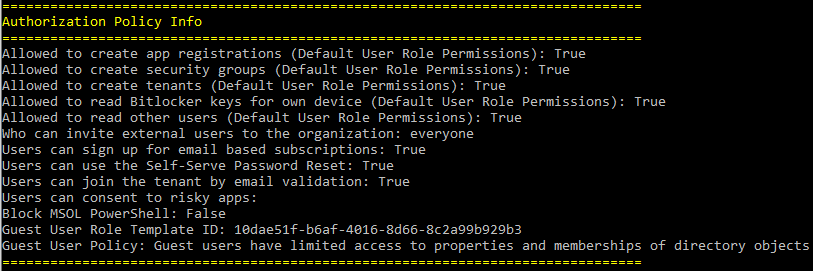
This module gathers information about the tenant including the primary contact info, directory sync settings, and user settings such as if users have the ability to create apps, create groups, or consent to apps.
--OPTIONS--
Tokens         - Pass the $tokens global variable after authenticating to this parameter
Resource       - Specifies the Microsoft Graph resource URL. Default is https://graph.microsoft.com/
Device         - Forge the user-agent as a specific device type
Browser        - Forge the user-agent as a specific browser type
ClientID       - Set a custom client ID for authentication
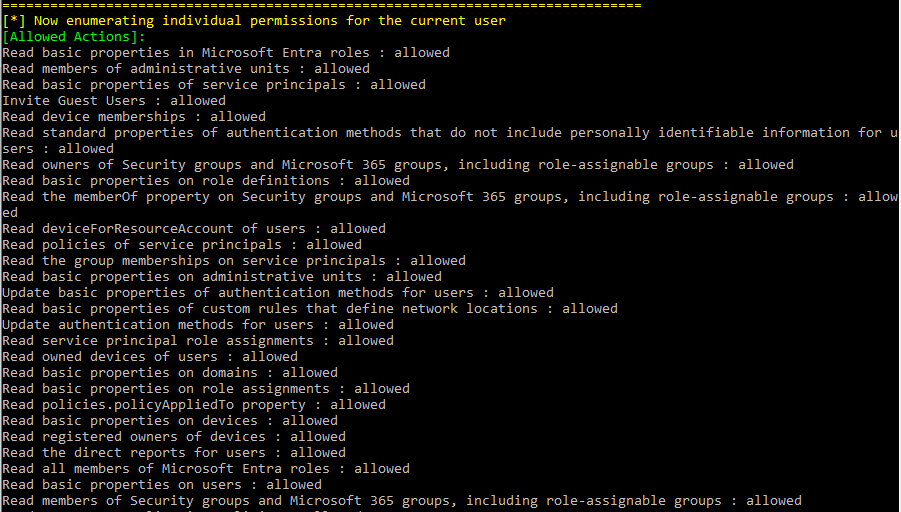
PermissionEnum - Enumerates individual permissions for the current user.
Invoke-GraphRecon -Tokens $tokens -PermissionEnum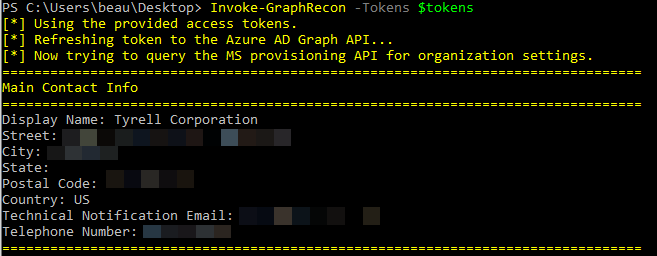
A module to dump conditional access policies from a tenant. By default this prints enhanced terminal output. The function will try Microsoft Graph v1.0 first, then Graph beta, and finally fall back to the legacy Azure AD Graph CAPS endpoint when needed.
--OPTIONS--
Tokens         - Pass the $tokens global variable after authenticating to this parameter
ResolveGuids   - Resolve any object ID guids found
Device         - Forge the user-agent as a specific device type
Browser        - Forge the user-agent as a specific browser type
FullJsonOut    - Export the full structured CAPS JSON output
OutFile        - Save the full CAPS JSON output to a file
Invoke-DumpCAPS -Tokens $tokens -ResolveGuidsInvoke-DumpCAPS -Tokens $tokens -FullJsonOut -OutFile .\cap-policies.json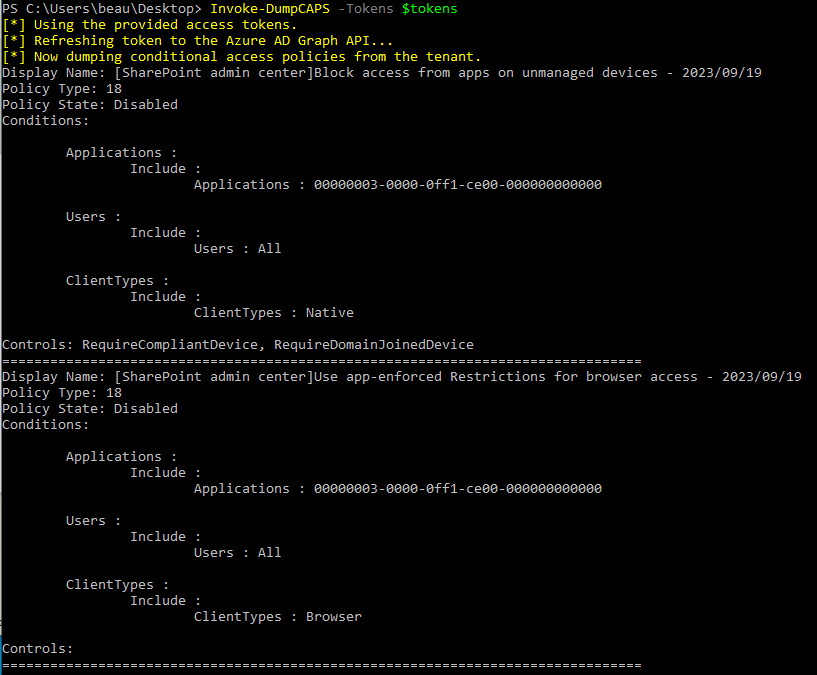
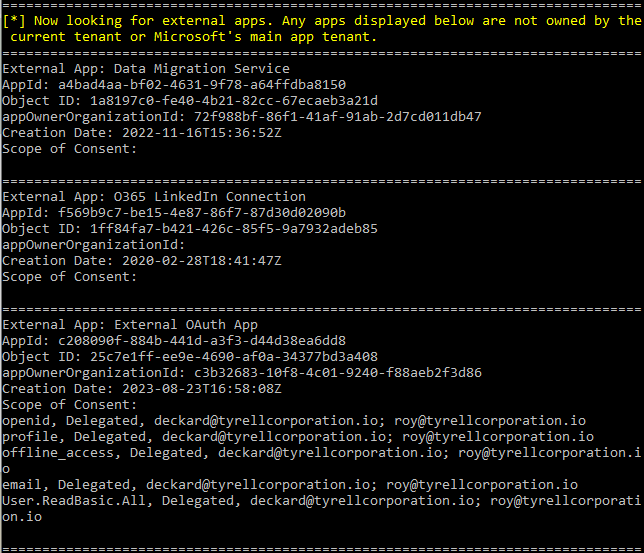
This module helps identify malicious app registrations. It will dump a list of Azure app registrations from the tenant including permission scopes and users that have consented to the apps. Additionally, it will list external apps that are not owned by the current tenant or by Microsoft's main app tenant. This is a good way to find third-party external apps that users may have consented to. The module also supports full structured JSON export and can skip Microsoft-owned service principals to speed up large-tenant runs.
--OPTIONS--
Tokens         - Pass the $tokens global variable after authenticating to this parameter
FullJsonOut    - Export the full application and service principal inventory to JSON
OutFile        - Save the JSON export to a file
SkipMicrosoftOwnedSPs - Skip Microsoft-owned service principals to reduce collection time
Invoke-DumpApps -Tokens $tokensInvoke-DumpApps -Tokens $tokens -FullJsonOut -OutFile .\oauth-consent-inventory.jsonInvoke-DumpApps -Tokens $tokens -SkipMicrosoftOwnedSPs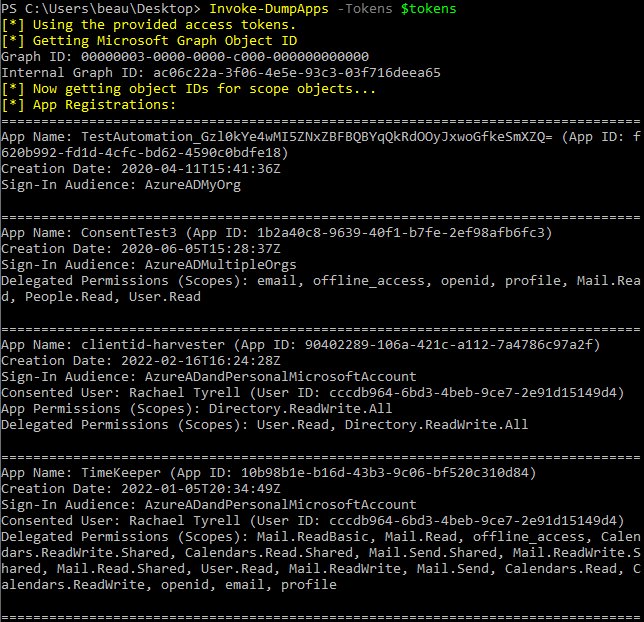
Gather the full list of users from the directory.
--OPTIONS--
Tokens         - Pass the $tokens global variable after authenticating to this parameter
OutFile        - A file to output the results to
Resource       - Specifies the Microsoft Graph resource URL
Device         - Forge the user-agent as a specific device type
Browser        - Forge the user-agent as a specific browser type
ClientID       - Set a custom client ID for authentication
Get-AzureADUsers -Tokens $tokens -OutFile users.txtCreate a list of groups along with their members. Running without options pulls all groups, including both Microsoft 365 groups and security groups.
--OPTIONS--
Tokens         - Pass the $tokens global variable after authenticating to this parameter
OutputFile     - The path to the CSV file where the groups will be exported
SecurityOnly   - Limit results to security groups only
M365Only       - Limit results to Microsoft 365 groups only
ClientID       - Set a custom client ID for authentication
Device         - Forge the user-agent as a specific device type
Browser        - Forge the user-agent as a specific browser type
Get-SecurityGroups -Tokens $tokensGet-SecurityGroups -Tokens $tokens -SecurityOnlyGet-SecurityGroups -Tokens $tokens -M365Only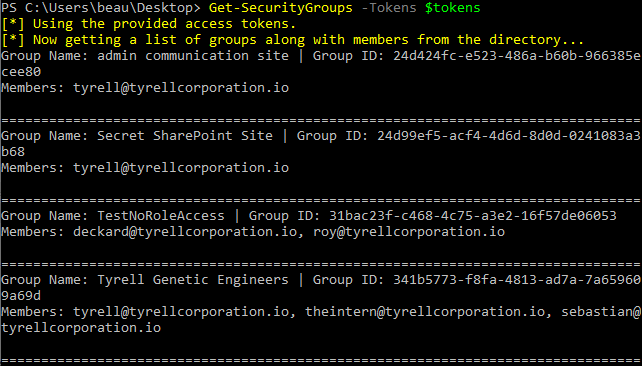
Gather the activated directory roles and their assigned members. This uses the Microsoft Graph directoryRoles API, so it only returns roles that are activated in the tenant.
--OPTIONS--
Tokens         - Pass the $tokens global variable after authenticating to this parameter
OutputFile     - The path to the CSV file where the directory roles will be exported
Get-DirectoryRoles -Tokens $tokens -OutputFile directory_roles.csvGets groups that may be able to be modified by the current user
--OPTIONS--
Tokens         - Pass the $tokens global variable after authenticating to this parameter
OutputFile     - Write the discovered groups to a CSV file
Keyword        - Limit checks to groups matching one or more keywords
Client         - Provide a client to authenticate to
ClientID       - Set a custom client ID for authentication
Resource       - Specifies the Microsoft Graph resource URL
Device         - Forge the user-agent as a specific device type
Browser        - Forge the user-agent as a specific browser type
RefreshInterval - Refresh the token at the specified interval during longer runs
Get-UpdatableGroups -Tokens $tokensGet-UpdatableGroups -Tokens $tokens -Keyword Helpdesk,Admin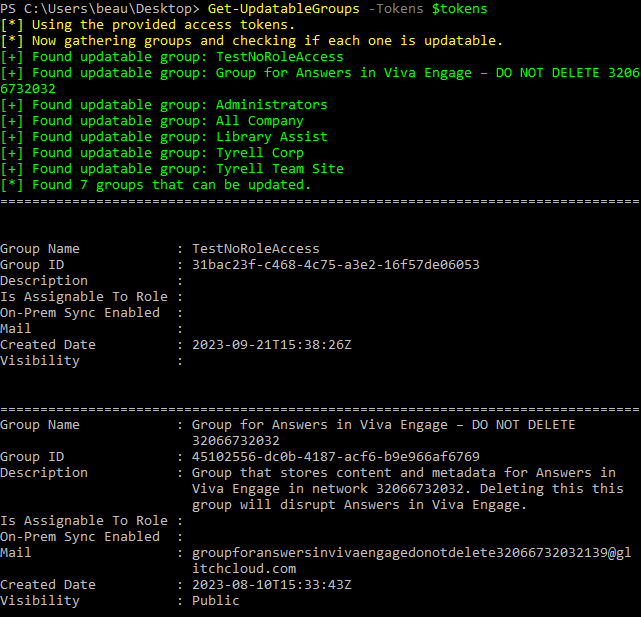
Finds dynamic groups and displays membership rules
--OPTIONS--
Tokens         - Pass the $tokens global variable after authenticating to this parameter
Get-DynamicGroups -Tokens $tokens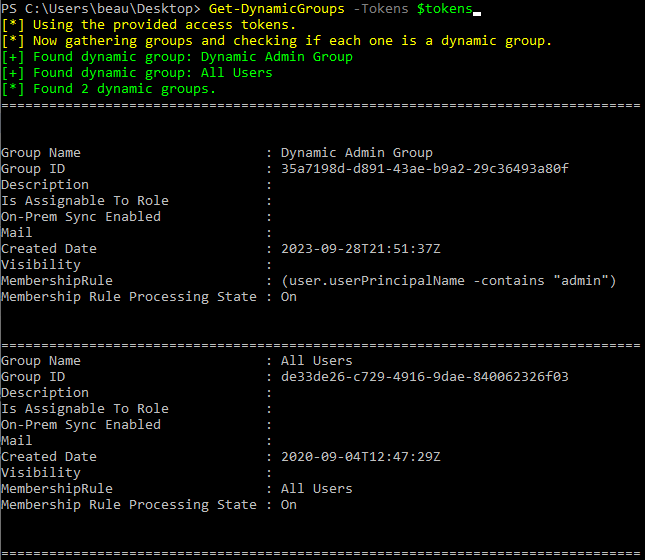
Find calendars in the tenant that are shared more permissively than free/busy visibility. By default this enumerates all users in the tenant unless you provide a user list.
--OPTIONS--
Tokens         - Pass the $tokens global variable after authenticating to this parameter
UserList       - Optional user list of users to check, one per line
OutFile        - Optional CSV file to export results to
Find-PermissiveCalendars -Tokens $tokensFind-PermissiveCalendars -Tokens $tokens -UserList userlist.txt -OutFile permissive-calendars.csvGets a list of SharePoint site URLs visible to the current user
--OPTIONS--
Tokens         - Pass the $tokens global variable after authenticating to this parameter
BatchSize      - Number of URLs to request per search batch
MaxSites       - Stop after collecting this many unique site URLs
Get-SharePointSiteURLs -Tokens $tokensGet-SharePointSiteURLs -Tokens $tokens -BatchSize 500 -MaxSites 1000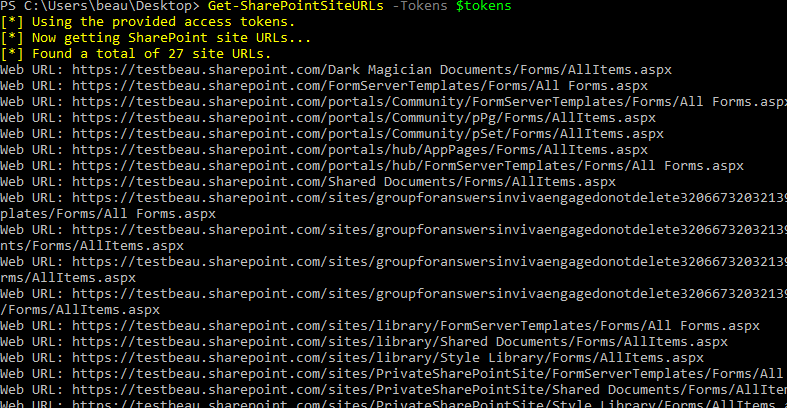
This module attempts to locate mailboxes in a tenant that have allowed other users to read them. By providing a userlist the module will attempt to access the inbox of each user and display if it was successful. The access token needs to be scoped to Mail.Read.Shared or Mail.ReadWrite.Shared for this to work.
--OPTIONS--
Tokens         - Pass the $tokens global variable after authenticating to this parameter
Userlist       - A list of usernames one per line
Invoke-GraphOpenInboxFinder -Tokens $tokens -Userlist users.txt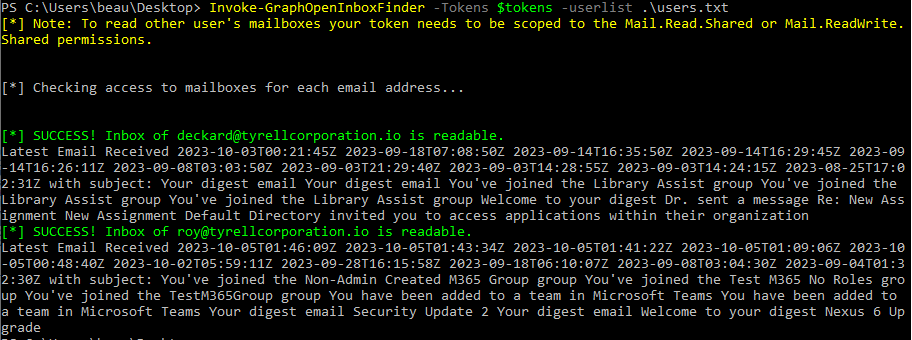
Checks Azure Front Door WAF policies for custom rules that match on RemoteAddr and writes the findings to an output file. This requires a token scoped to the Azure Management API rather than Microsoft Graph.
--OPTIONS--
Tokens         - Pass the $tokens global variable after authenticating to this parameter
OutputFile     - The file to write the WAF audit results to
Get-GraphTokens -Resource "https://management.azure.com/"
Check-FrontDoorWAF -Tokens $tokens -OutputFile waf_remoteaddr_audit.txtThis module attempts to gather a tenant ID associated with a domain.
--OPTIONS--
Domain   - The domain name to resolve to a tenant ID
Get-TenantID -Domain contoso.com