Bug Report: update Command Fails with Valid Attendee Indexes
Title: update command incorrectly displays "Attendee index out of bounds" error for valid attendee indexes.
Steps to Reproduce
- Launch LegacyLink.
- Ensure there are at least 3 events in the event book and at least 2 contacts in the address book.
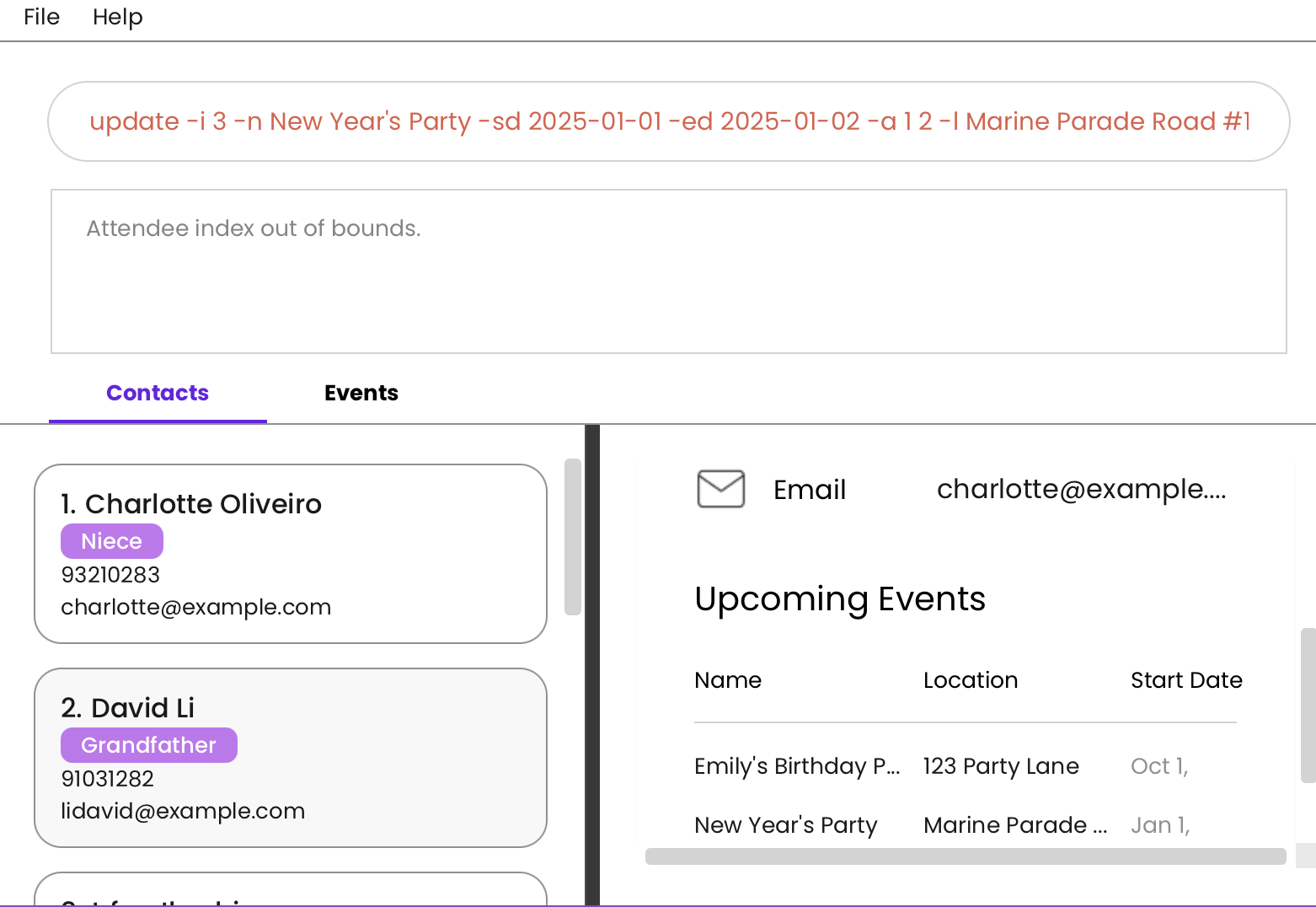
- Enter the following command:
update -i 3 -n New Year's Party -sd 2025-01-01 -ed 2025-01-02 -a 1 2 -l Marine Parade Road #12-34
Expected Behavior
- The third event should be updated successfully with the provided details.
- The first two contacts should be added as attendees to the event.
Actual Behavior
- The command fails with the error message:
Attendee index out of bounds.
Severity
severity.Medium
Type
type.FunctionalityBug
Why This Is a Problem
- Core Functionality Issue: Users cannot update events with valid attendees, undermining the event management functionality.
- Incorrect Validation Logic: The app misinterprets valid attendee indexes as invalid, restricting normal operations.
- User Frustration: Users are blocked from performing basic tasks, potentially leading to confusion and dissatisfaction.
Suggestions for Improvement
- Fix the attendee index validation logic to ensure it correctly checks against the existing contact list.
- Improve error messages to provide more specific feedback, such as identifying which index is considered out of bounds.
- Add test cases to verify that valid attendee indexes are accepted by the
update command.
Bug Report:
updateCommand Fails with Valid Attendee IndexesTitle:
updatecommand incorrectly displays "Attendee index out of bounds" error for valid attendee indexes.Steps to Reproduce
update -i 3 -n New Year's Party -sd 2025-01-01 -ed 2025-01-02 -a 1 2 -l Marine Parade Road #12-34Expected Behavior
Actual Behavior
Attendee index out of bounds.Severity
severity.MediumType
type.FunctionalityBugWhy This Is a Problem
Suggestions for Improvement
updatecommand.