Bug Report: find Command Causes Interface to Become Blank When No Match is Found
Title: find command causes contact book interface to remain blank after searching for a non-existent contact.
Steps to Reproduce
- Launch LegacyLink.
- Ensure there are contacts in the address book.
- Enter the command:
find Jack (assuming "Jack" is not in the contact book).
Expected Behavior
- The application should display a message indicating that no matching contacts were found.
- The current list of contacts, events and upcoming ones should remain visible.
Actual Behavior
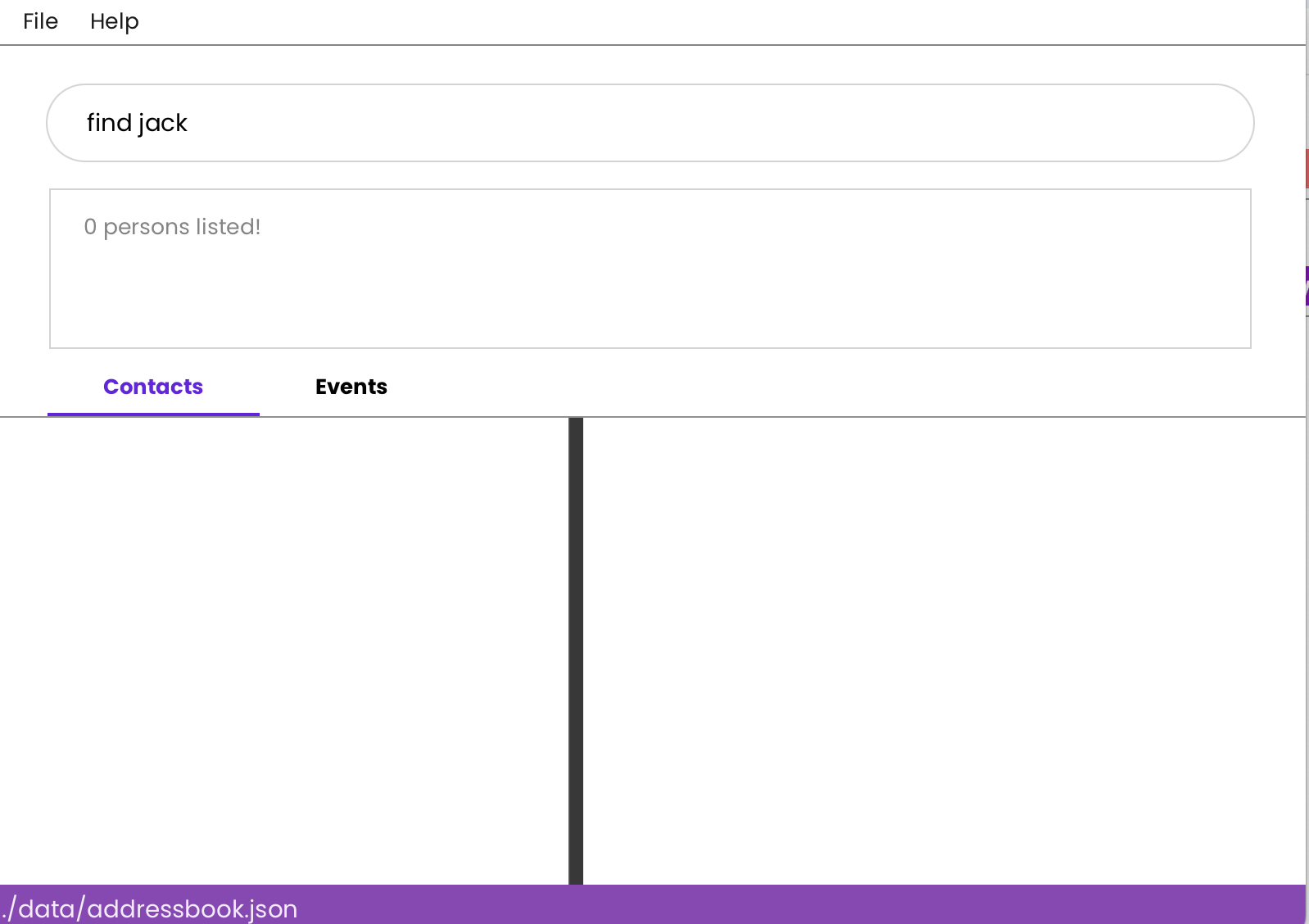
- The contact book interface becomes blank, showing no contacts.
- Attempting to use
list -p to restore the contact list does not work, and the interface remains empty.
Severity
severity.High
Type
type.FunctionalityBug
Why This Is a Problem
- Data Accessibility Issue: Users lose access to their contact list and events, and upcoming events which is crucial for managing family connections and brings inconvenience.
- Frustration for Users: Users are unable to recover their contact list using available commands, leading to a poor user experience.
- Workflow Disruption: This issue forces users to restart the application or other means/commands to regain access to their contacts and events, disrupting their workflow.
Suggestions for Improvement
- Modify the
find command to ensure the interface restores the previous list view when no matches are found.
- Display a user-friendly message when no matches are found, such as:
"No contacts found matching 'Jack'. The full contact list is still available."
Bug Report:
findCommand Causes Interface to Become Blank When No Match is FoundTitle:
findcommand causes contact book interface to remain blank after searching for a non-existent contact.Steps to Reproduce
find Jack(assuming "Jack" is not in the contact book).Expected Behavior
Actual Behavior
list -pto restore the contact list does not work, and the interface remains empty.Severity
severity.HighType
type.FunctionalityBugWhy This Is a Problem
Suggestions for Improvement
findcommand to ensure the interface restores the previous list view when no matches are found."No contacts found matching 'Jack'. The full contact list is still available."